Inky Encryption Guide
Estimated Reading Time: 1 MinutesRequirements: Active User Shield Complete license configured and live on your email host.
|
Step # |
Task |
Screenshot |
|
1 |
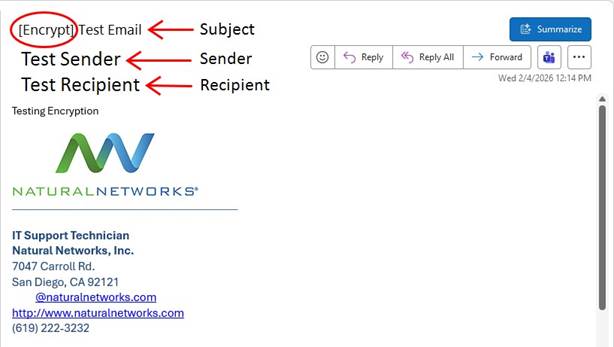
The user may encrypt any email by adding the following to the subject line.
[Encrypt]
Then they can send the email. |
|
|
2 |
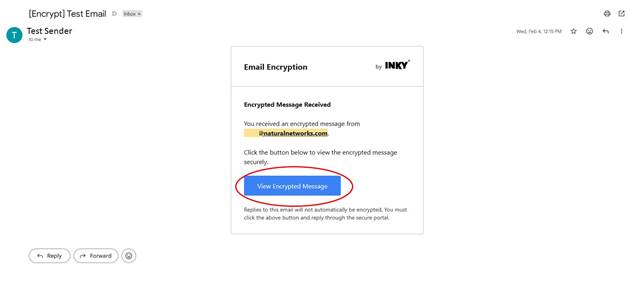
The recipient receives an email with a link to the encrypted message portal.
To proceed the recipient must click the “View Encrypted Message” button. |
|
|
3 |
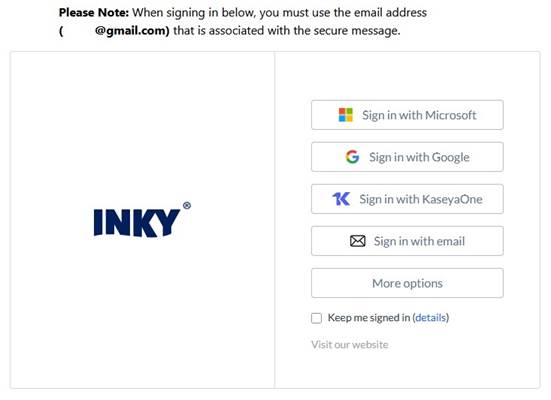
Clicking the View Encrypted Message button leads them to a webpage login.
The recipient must use their email address to sign in. |
|
|
4 |
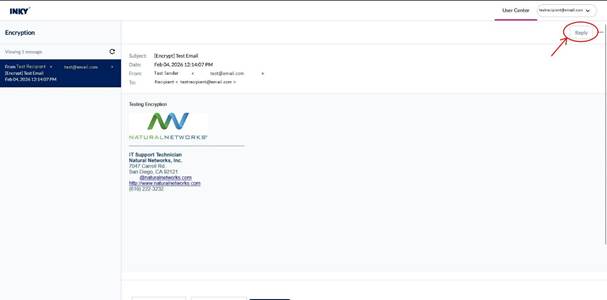
They can now view the encrypted email and can reply from within the portal by clicking the reply button in the upper right-hand corner. |
|
|
5 |
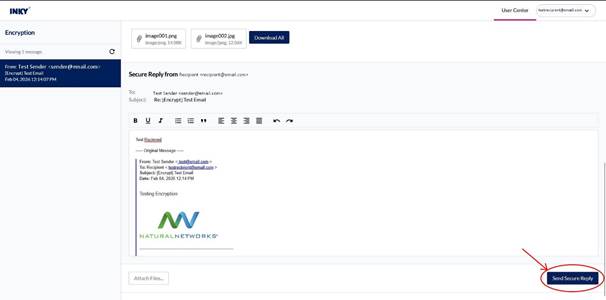
Once they type their response they can click “Send Secure Reply” to respond. |
|
|
6 |
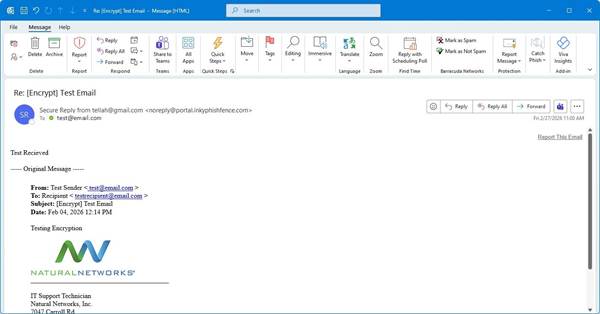
The reply will be sent back to the senders mailbox. |
|